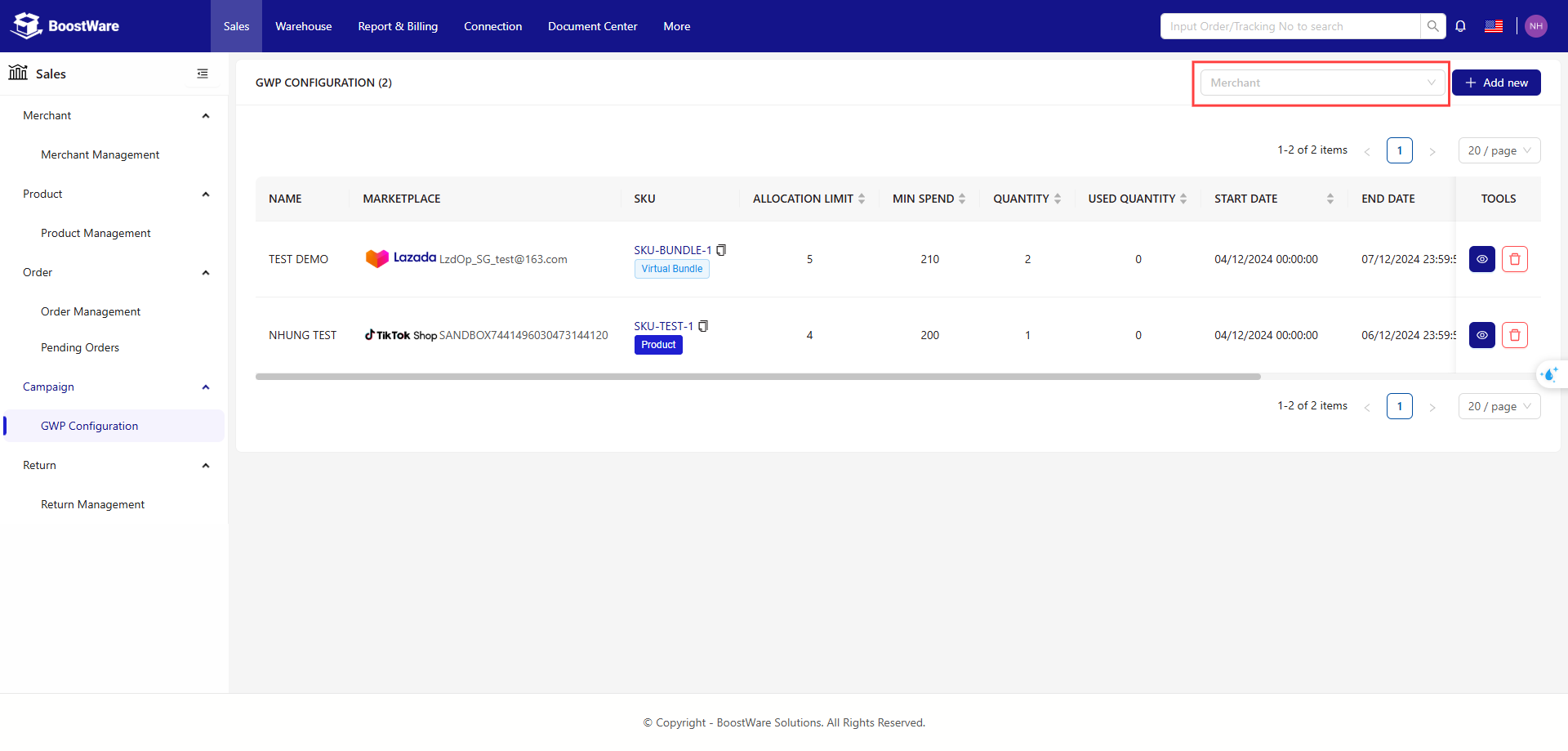
GWP Configuration
A feature in order management systems or e-commerce platforms that allows merchants to set up promotional programs, such as:
-
When a customer purchases a product or reaches a certain order value, they will receive a free gift.
-
The conditions to receive the gift may include a minimum order value, a specific quantity of products, or certain products that are part of the promotion.
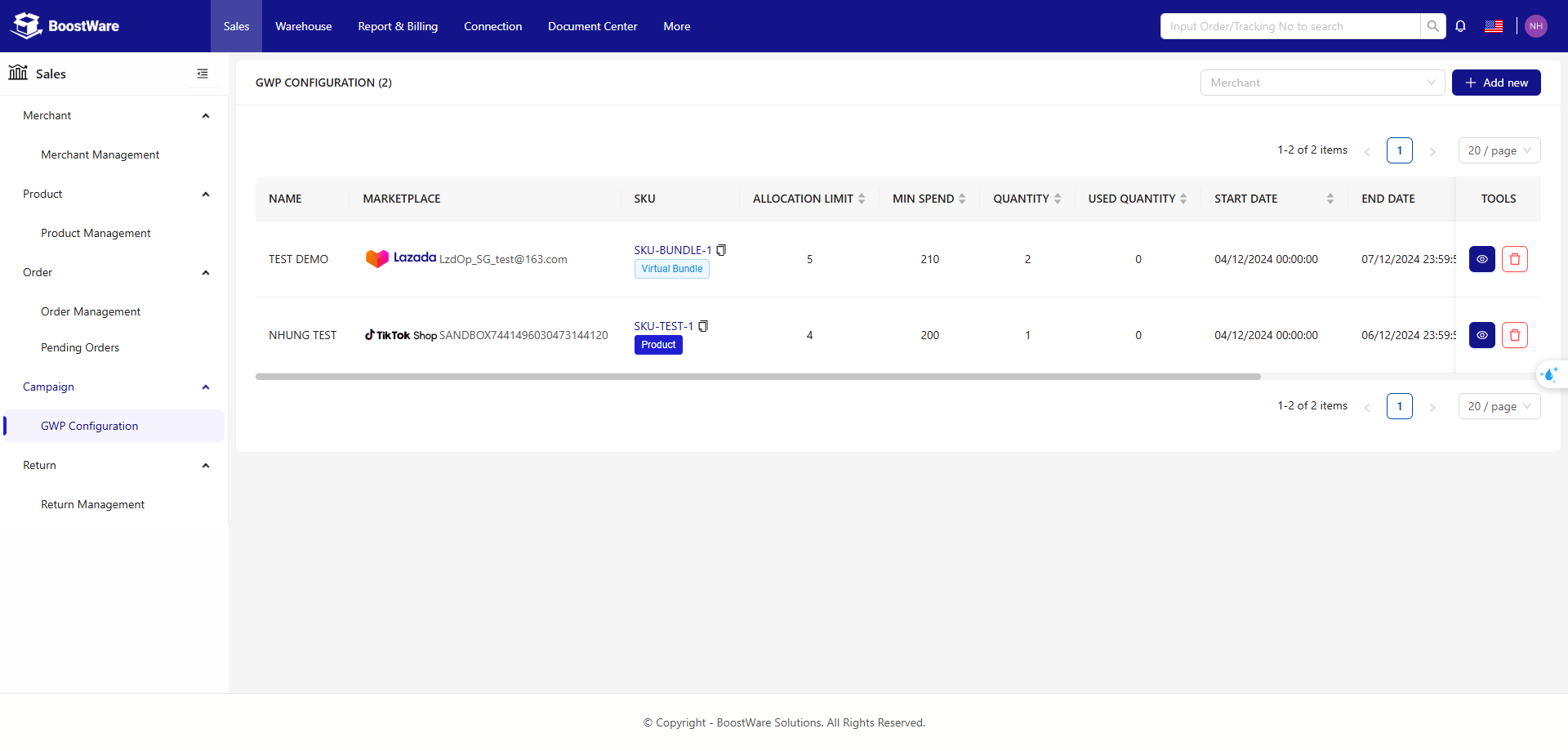
List button
| Button | Description |
|---|---|
| Add New | Add a New Gift with Purchase Configuration |
| Save | Saving the Gift with Purchase Configuration |
| View | Viewing the Gift with Purchase Configuration After Creation |
Steps to Add a Gift with Purchase Configuration
Required conditions when creating a gift configuration: Must be linked to an e-commerce platform
Add a bonus gift configuration to our system by providing details about the input data
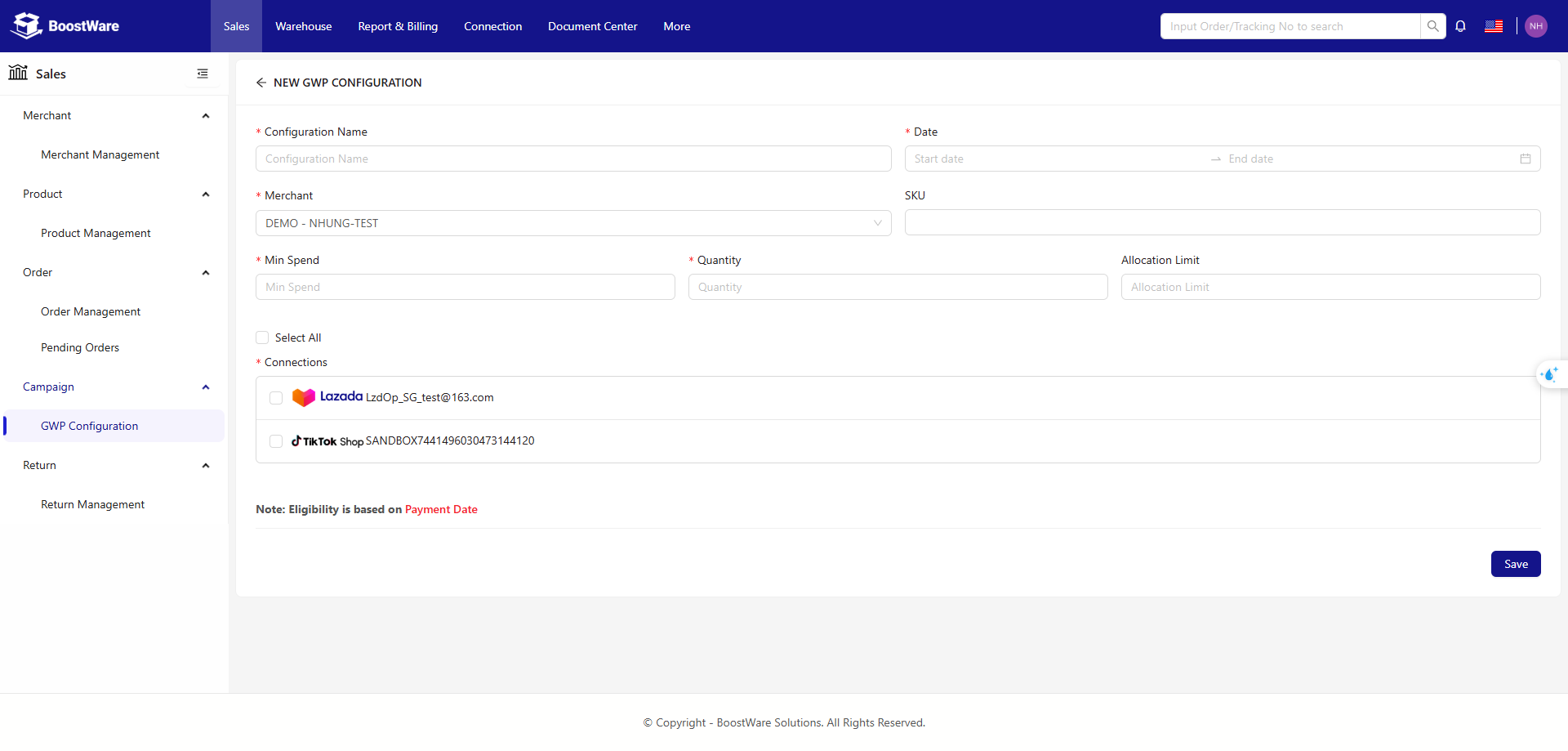
List of input fields
| Field | Required | Description |
|---|---|---|
| Configuration Name | Yes | Name of the promotion or gift program |
| Date | Yes | The start and/or end time of the promotion. |
| Merchant | Yes | The seller wants to use the gift configuration |
| SKU | No | Name of the product |
| Min Spend | Yes | Minimum spend that a customer must achieve in their order to qualify for the gift |
| Quantity | Yes | Number of products or gifts included in the promotion. |
| Allocation Limit | No | Maximum number of gifts that can be allocated in a promotion. |
| Connection | Yes | Link between different promotions |
Configuration helps sellers manage gift programs automatically, optimize shopping experience and boost sales.
Currently, GWP enables users to quickly search by Merchant if there are multiple GWPs in the list.